Thanks to you who have read this blog. I’m going to be changing what I publish here. Rather than the typical blog posts, I am led to share what I discover using new artificial intelligence (AI) tools.
There will be a negative reaction to any mention of AI, because most people fear AI. I, too, fear the development of open-ended artificial intelligence. But I want to explain how new AI research assistance tools avoid most of the usual problems by strictly limiting what AI processes to ONLY the sources of information you load into the project.
What follows is an explanation of the artificial intelligence research tools I use. My career was in medical research. I needed to know everything that was already known in my field of interest, newborn and infant lung development and disease, so we wouldn’t be wasting time and effort on something that had already been answered. So, I learned to do the comprehensive searches related to our area of research. And you had to keep up with that constantly as new research was published.
My research career required us to adapt adult-size test equipment and procedures. We had to design and build it ourselves. Another thing I did for our research was write all of the software to perform the tests and evaluate the results.
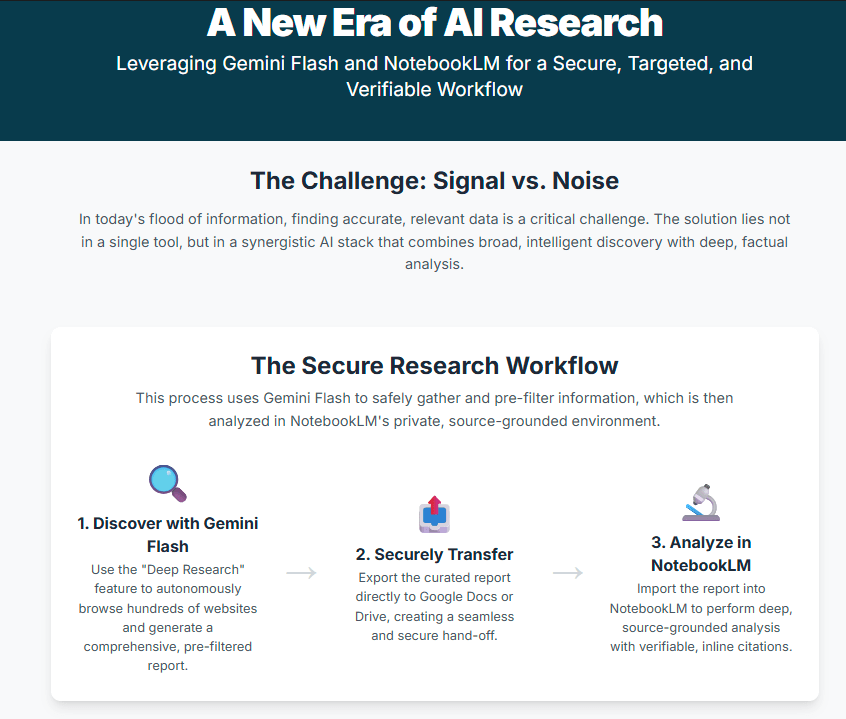
The document included here delineates how Google Gemini Flash, with its advanced Deep Research capabilities, serves as an optimal tool for securely and precisely gathering a targeted set of resources, which can then be seamlessly integrated into Google NotebookLM for grounded, verifiable analysis. By combining Flash’s intelligent information retrieval and pre-filtering with NotebookLM’s source-grounded AI and robust privacy features, users can achieve unparalleled efficiency and accuracy in their research workflows, mitigating common AI risks such as hallucination and data misuse. This integrated approach represents a significant advancement in AI-powered research, offering a secure and highly productive environment for professionals across various domains.
Gemini’s research transcript
To illustrate the process, I’m going to show you the transcript that Gemini displays as it researches my prompt, “Create a report that identifies groups that are actively supporting Palestinians in Madison Wisconsin.”
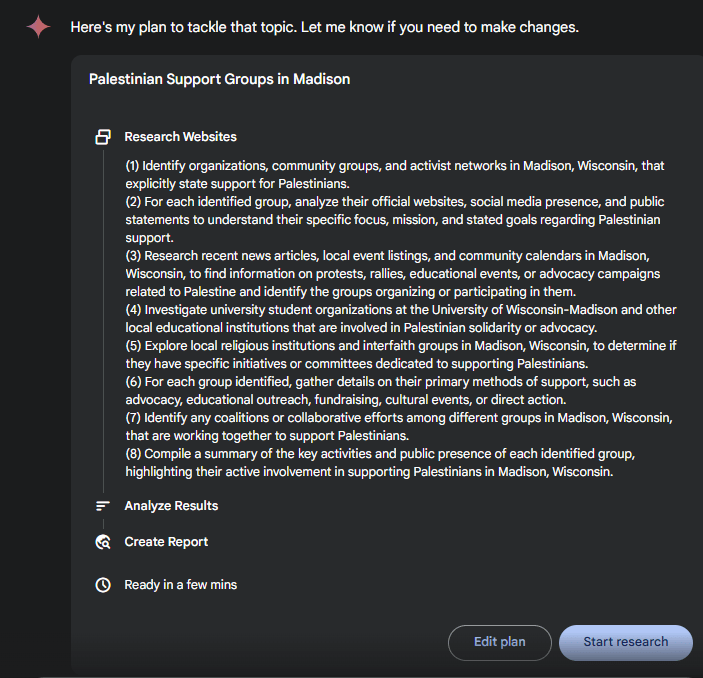
This is a transcript showing how Gemini finds and navigates its way through the process of responding to research requests, in this case my prompt, “Create a report that identifies groups that are actively supporting Palestinians in Madison Wisconsin.”
Transcript of the research progress
Results of the research
This is the document Gemini created in response to my new query, “Create a report that identifies groups that are actively supporting Palestinians in Madison Wisconsin. including the Madison FCNL Advocacy Team and the Wisconsin Coalition for Justice in Palestine” The following report NOW contains information about both of those organizations.
Infographics
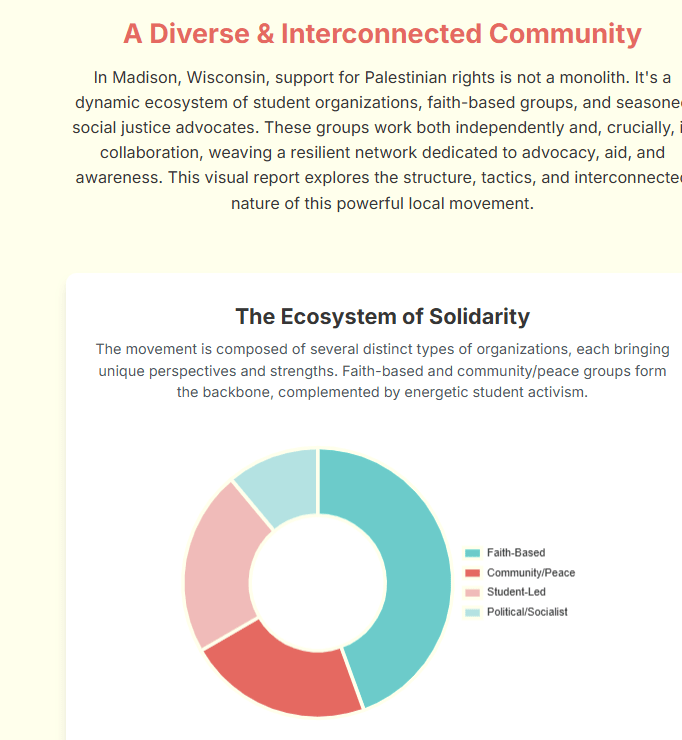
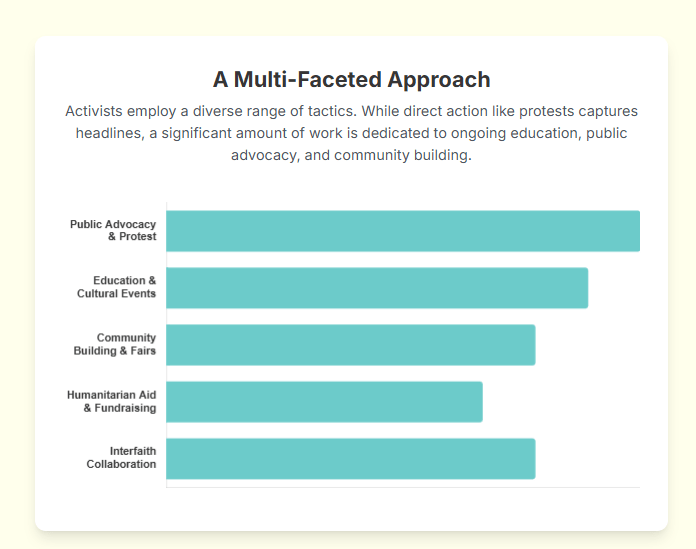
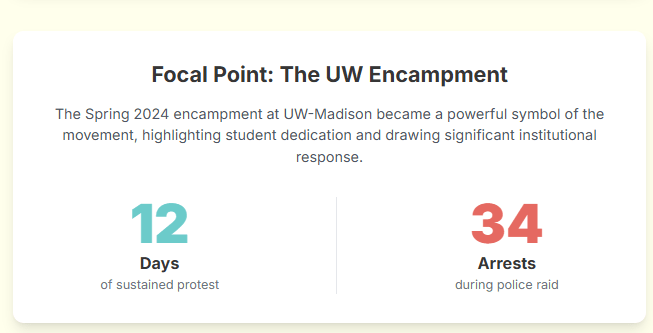
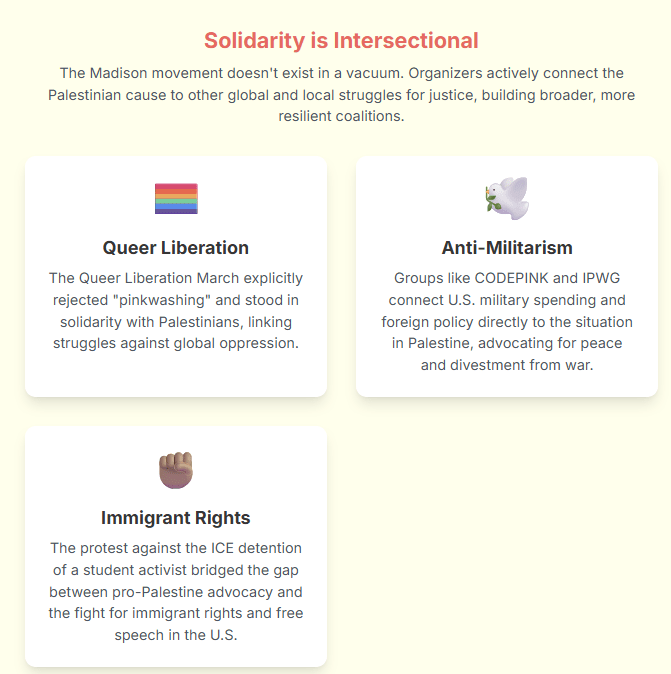
One of the other great features of Gemini is the creation of Infographics, a visualization of the information that has been generated from the completed document, in this case the document above, “Palestinian Solidarity Groups in Madison, Wisconsin: An Overview of Active Organizations and Initiatives.” I’m really excited about this tool, because I believe most people would prefer a simplified summary of a large amount of text.


Not Perfect
Any artificial intelligence results must be carefully checked by a human being. ‘Hallucinations’ refer to parts of an AI answer that are wrong. There may be several reasons for that, but they most commonly result from AI trying to make deductions or create nonexistent relationships as it processes answers to prompts.
That is why using Google Gemini 2.5 Flash and Google’s NotebookLM is a better way to do AI research. I plan to write extensively about that soon.
Research is an iterative process that requires ongoing searches for relevant information. And to check for relevant information that was not returned from the AI analysis. In this case, I didn’t find two groups I work with included in the AI results, the Madison FCNL Advocacy Group and the Wisconsin Coalition for Justice in Palestine. I’ll be using Gemini to repeat the analysis, but I will include references to those two organizations.
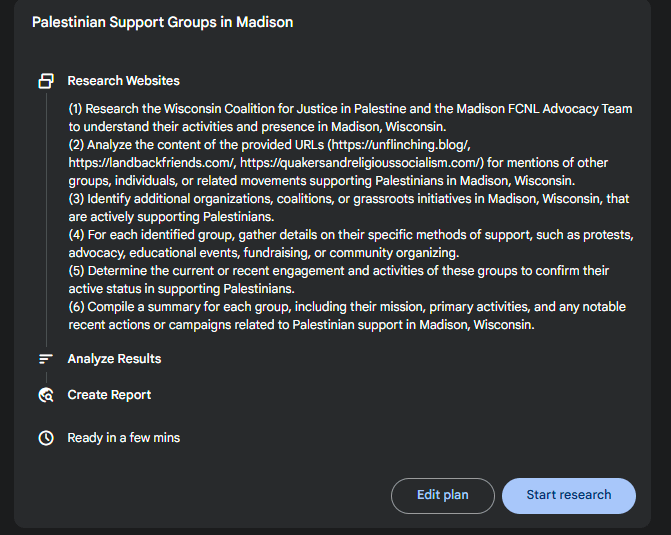
This is the AI analysis of adding references to the Madison FCNL Advocacy Team and to the Wisconsin Coalition for Justice in Palestine to my original prompt. Now there is information about them in the results of the analysis.
 unflinching